Local SEO for a service business comes down to four things: a complete and accurate Google Business Profile, the same business details on every listing, a steady flow of genuine reviews, and a website with clear service and location pages. Get those right and you give Google, Maps and AI assistants every reason to show you to nearby customers. The checklist below covers each step in the order we would tackle it.
When someone searches for a plumber, a dentist, a salon or an accountant near them, Google shows a map with a handful of businesses before any website links. More people now also ask ChatGPT, Gemini or Google's AI answers for a recommendation. In BrightLocal's 2026 consumer survey, 45% of consumers said they had used ChatGPT or other generative AI tools to find local business recommendations, up from 6% the year before. Local SEO decides whether your business is in those few spots.
How Google ranks local businesses
Google says local results are based mainly on three things: relevance (how well your profile matches the search), distance (how far you are from the searcher or the area they named) and prominence (how well known and trusted your business is, including reviews, ratings and links from other websites). You can't change distance, but you can improve relevance and prominence a lot.
Google is also clear that there is no way to request or pay for a better local ranking. Every gain comes from better information and a better reputation.
1. Claim and complete your Google Business Profile
Your Google Business Profile is the single most important local SEO asset. Treat it like a second homepage.
- Claim and verify the profile with the business owner's account, not a former employee's or a freelancer's.
- Use your real-world business name only. Google's guidelines don't allow taglines, phone numbers, URLs or location and service keywords in the name, and breaking this can get the profile suspended.
- Pick the most specific primary category (for example "Emergency plumber" rather than just "Plumber" if that is what you mainly do) and add relevant secondary categories.
- Add every service you offer, with a short description and a price range where you can.
- Set accurate opening hours, including holiday and special hours.
- Fill in attributes that apply to you, such as accessibility, parking or online appointments.
- Upload real photos and short videos of your team, work, vehicles and premises. Update them regularly.
- Write a clear business description that says what you do, who you serve and where.
Service-area businesses
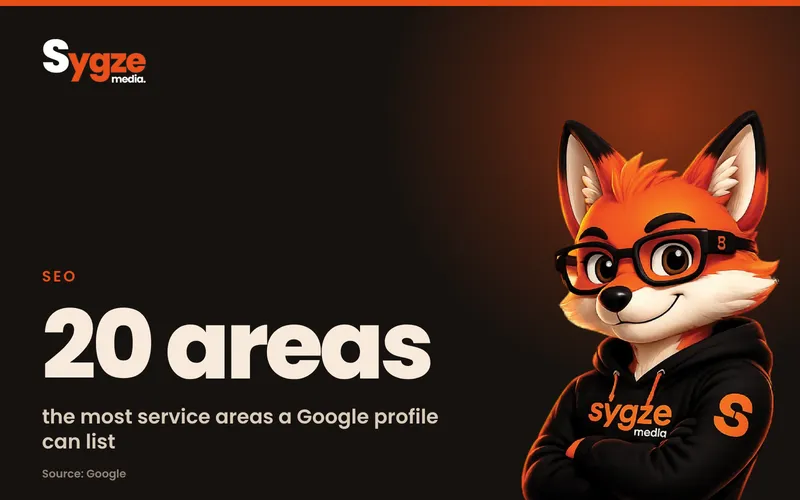
If you visit customers rather than having them visit you (cleaners, contractors, mobile services), set your service area and hide your street address. Google says the service area shouldn't extend farther than about two hours of driving time from where your business is based. Its guidelines also don't allow virtual offices, mailbox services or addresses where you aren't staffed during business hours. A suspended profile is far worse than one without a public address.
2. Make your business details consistent everywhere
Search engines and AI assistants cross-check your name, address, phone number and website across many sources. When those details disagree, they trust all of them less.
- Write down one official version of your business name, address, phone number, website and hours.
- Use exactly that version on your website, Google Business Profile, Bing Places, Apple Business Connect, Facebook, Yelp and industry directories.
- Fix old listings with previous addresses or phone numbers; many outrank your new ones for years.
- Add your details to your website footer and contact page as text, not inside an image.
3. Build a steady review routine
Reviews are one of the clearest prominence signals, and they are what customers read before they call. BrightLocal's 2026 survey found that 97% of consumers read reviews for local businesses, 74% look for reviews written in the last three months, and 47% won't use a business with fewer than 20 reviews. The goal is a steady flow of genuine reviews, not a burst once a year.
- Ask every satisfied customer, ideally within a day of finishing the job, with a direct link to your review form.
- Make it easy: a short text message or email with the link works better than a request at the end of a long invoice.
- Reply to every review, positive and negative, politely and within a few days. In the same survey, 81% of consumers expected a reply within a week.
- Never buy reviews, review your own business or offer rewards in exchange for reviews. Google's policies prohibit it and fake reviews can be removed in bulk.
- Encourage customers to mention the service they used. Natural detail helps both readers and search engines.
4. Build the right pages on your website
Your website tells Google what you do and where. Most service businesses need fewer, better pages than they think.
- One page per main service, explaining what it includes, who it's for, typical prices or price ranges, and how the process works.
- A location page only for each area you genuinely serve or operate in, with unique content: local projects, local team members, parking or access details, and area-specific FAQs.
- A clear contact page with your consistent business details, opening hours and an embedded map.
- FAQ sections that answer the questions customers really ask, in plain language.
- A link from each service page to your Google Business Profile reviews or a short selection of genuine testimonials.
Avoid copying one page dozens of times with only the town name changed. Google treats near-duplicate city pages as low quality, and they can drag down the rest of your site.
5. Add structured data
Structured data (schema markup) is code that tells search engines exactly what your business is. Google's documentation asks you to use the most specific LocalBusiness subtype possible (such as Plumber or Dentist). The only required properties are your name and address, but Google also recommends your phone number with country code, opening hours, URL, price range and map coordinates.
Add Service markup to service pages and FAQPage markup only where the questions and answers are visible on the page. Check your work with Google's Rich Results Test and the URL Inspection tool in Search Console. Google says there is no special markup needed for AI features, but clear, consistent data helps every search system understand you.
6. Get mentioned on other local websites
Prominence also comes from what others say about you. Look for genuine mentions: local news, your chamber of commerce, supplier and partner websites, sponsorships of local events, community groups and industry associations. A few mentions on respected local sites beat hundreds of low-quality directory links.
7. Get ready for AI search
AI assistants recommend local businesses based largely on the same signals: accurate listings, consistent details, strong reviews and clear websites. Google says pages that appear in its AI features simply need to be indexed and eligible for normal search, with no extra requirements. Practical steps:
- Ask ChatGPT, Gemini and Perplexity "What do you know about [your business] in [your city]?" and note anything wrong or missing.
- Fix the sources those errors usually come from: old listings, outdated website pages and incomplete profiles.
- Answer specific questions directly on your website: areas covered, emergency availability, prices, guarantees and timeframes.
- Make sure your website doesn't block search engine crawlers and that important pages are indexed in Google Search Console.
Common local SEO mistakes
- Stuffing keywords or town names into the business name on Google Business Profile.
- Listing a virtual office or a home address you don't want public, instead of setting up as a service-area business.
- Choosing a broad primary category because it sounds bigger, when a specific one matches what people search for.
- Leaving old listings with a previous phone number or address live on directories.
- Asking for reviews in bursts, then going months without any new ones.
- Publishing dozens of near-identical city pages.
- Letting the profile go stale: no new photos, outdated hours and unanswered questions.
Examples by business type
The checklist is the same for everyone, but where you put your effort changes with the kind of business you run.
- Trades and home services (plumbers, electricians, cleaners): set a realistic service area, add emergency availability and response times, and upload before-and-after photos of real jobs.
- Clinics and dental practices: list each treatment as a service, keep insurance and payment details current, add accessibility attributes and make booking easy from the profile.
- Salons and beauty businesses: post photos of recent work often, show prices, and connect your booking system so people can book from Google.
- Accountants, lawyers and consultants: write clear service pages for each area of practice, explain fees or how pricing works, and earn mentions from professional bodies and local business groups.
- Multi-location businesses: create one verified profile per staffed location, with its own page on your website and its own review routine.
8. Track what matters
Your Google Business Profile performance report shows how people found and contacted you, including the search terms they used, profile views, calls, direction requests, website clicks and messages. Search data refreshes monthly, so review it once a month rather than every few days.
- Google Business Profile: calls, direction requests, website clicks and messages each month.
- Search Console: impressions and clicks for searches that include your service and area.
- Analytics: leads from organic search, tracked separately from ads. Add a tracking parameter to your profile's website link so you can see those visits on their own.
- Reviews: new reviews per month, your average rating and how quickly you reply.
- AI assistants: a quick monthly check of what they say about your business.
Local SEO is steady work rather than a one-off project. Most businesses see the first improvements within a few weeks of fixing their profile and listings, and stronger results over several months as reviews and mentions build up.
Useful tools
- Google Business Profile and its performance report, for your profile and its results.
- Google Search Console, for indexing, search queries and structured data errors.
- Google's Rich Results Test, for checking schema markup.
- Bing Places and Apple Business Connect, for your listings on Bing and Apple Maps.
- Rank and listings tools such as BrightLocal, Semrush or Ahrefs, if you want to track map rankings and listing accuracy at scale.
Your local SEO checklist
- Google Business Profile claimed, verified and fully completed
- Correct primary category and all services listed
- Service area set realistically, with no virtual office address
- Business details identical on every listing
- A review request sent after every job, and every review answered within a week
- One strong page per service and per real location
- LocalBusiness, Service and FAQ schema in place and tested
- Mentions on genuine local websites
- AI assistants checked for accuracy every month
- Calls, direction requests and organic leads tracked monthly
Frequently asked questions
How long does local SEO take to work?
Fixing your profile, categories and listings often shows results within a few weeks. Reviews, mentions and website content build up more slowly, so expect stronger, steadier gains over several months. The businesses that keep the routine going are the ones that hold their position.
Can I rank in areas where I don't have an office?
Yes, if you are a service-area business that genuinely serves those areas. Add them to your service area, within about two hours' drive of your base, and create a useful page for each main area on your website. Don't create fake addresses to appear there, as that breaks Google's guidelines.
How many reviews do I need?
There is no fixed number, but customers notice. In BrightLocal's 2026 survey, 47% of consumers said they won't use a business with fewer than 20 reviews, and most look for recent ones. Aim for a steady flow every month rather than a single target.
Do I need a separate website page for every town I serve?
Only for areas where you have something useful and specific to say, such as local projects, local team members or area-specific details. A handful of strong location pages works better than dozens of copies with the town name swapped.
Want this done for you?
Sygze Media handles Google Business Profiles, listings clean-up, review routines, schema and AI search visibility for service businesses. If you'd like a second pair of eyes, message us on WhatsApp for a free 10-minute audit of your local SEO.
Sources
- Google Business Profile Help: How to improve your local ranking on Google
- Google Business Profile Help: Guidelines for representing your business on Google
- Google Business Profile Help: Understand your Business Profile performance and insights
- Google Search Central: Local Business (LocalBusiness) structured data
- Google Search Central: AI features and your website
- BrightLocal: Local Consumer Review Survey 2026