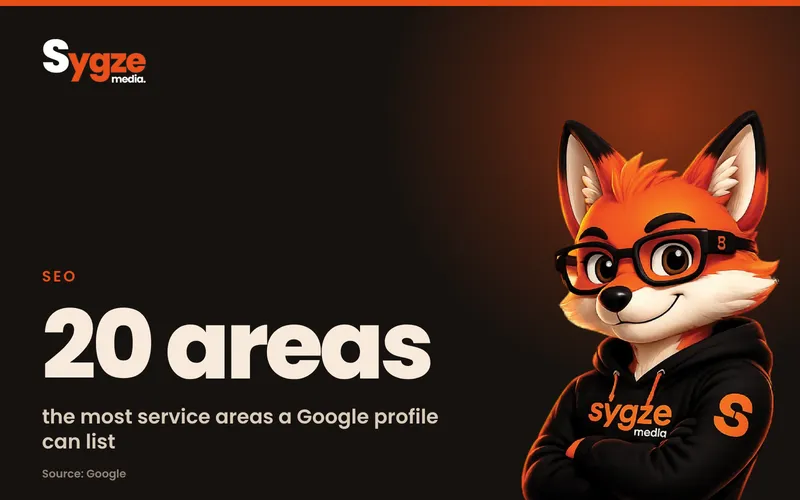
Local SEO for a service area business means getting found on Google Maps and local search when you travel to customers instead of serving them at a storefront. The core of it is a verified Google Business Profile with your address hidden and up to 20 service areas set, a website with one strong page per service and honest pages for the areas you really cover, and a steady flow of Google reviews.
Plumbers, electricians, cleaners, roofers, landscapers, mobile mechanics, pest control companies and in-home tutors all fall into this group. The rules are slightly different from a shop or restaurant, and the most common mistakes (fake addresses, keyword-stuffed names and dozens of copy-paste city pages) can get a profile suspended. This guide covers what works, in the order to do it.
What is a service area business?
A service area business is one that visits or delivers to customers rather than having them come to its address. Google separates three types: storefront businesses that serve customers at their location, service-area businesses that only travel to customers, and hybrid businesses that do both, such as a locksmith with a walk-in shop who also makes house calls.
Which type you are decides how you set up your Google Business Profile. Google says that if you don't serve customers at your business address, you should remove the address from your profile and list service areas instead. Hybrid businesses can show their storefront address and add service areas as well.
How does local SEO work without a storefront?
Google ranks local results mainly on three things: relevance, distance and prominence. Relevance is how well your profile and website match the search. Distance is how far the searcher is from your business. Prominence is how well known you are, which Google says includes links from other websites and how many reviews you have.
Without a storefront, distance works against you a little: Google still measures from where your business is based, even though your address is hidden. That means you will usually rank best close to your base and need more relevance and prominence to show up in towns further away. Google also states plainly that there is no way to pay for a better local ranking, so the work below is the only route besides ads.
How do I set up Google Business Profile as a service area business?
Create or edit your profile, choose the category that best describes your main service, then remove the address if customers never visit you and add your service areas. Google lets you set up to 20 service areas by city, ZIP code or region, and says the whole area should generally stay within about two hours' driving of your base.
- Pick one primary category that matches your core service exactly (for example Plumber, not Contractor), and add a few accurate secondary categories.
- Hide your address if you work from home or customers never come to you. You still have to give Google a real address for verification; it just isn't shown.
- Add service areas in the order you most want work, staying within the cities and ZIP codes you actually cover.
- Use your real business name as it appears on your van, invoices and signage. Google does not allow extra keywords or locations in the name.
- Add your phone number, website, hours, services with short descriptions, and photos of real jobs, your team at work and your vehicles.
Our step-by-step Google Business Profile setup guide covers verification and every field in detail if you are starting from zero.
Can I use a virtual office or P.O. box?
No. Google's guidelines say P.O. boxes and mailboxes at remote locations aren't acceptable, and that a business renting a mailing address it doesn't operate from isn't eligible. A service area business can only list an office that is staffed during business hours. If you work from home, use your home address for verification and keep it hidden.
Should I create a profile for every city I serve?
No. Google allows one profile per business, and says a service-area business should have one profile for its central location with a service area attached. You can only have more profiles if you have genuinely separate locations with their own staff. Duplicate or fake-location profiles are one of the fastest ways to get suspended.
Do service area pages help with local SEO?
Yes, when each page is genuinely useful to people in that area. A page for a town you serve can rank for searches like "roof repair in [town]" and help Google connect your business to that place. Pages that only swap the city name in otherwise identical text are a problem, and Google's spam policies call this out directly.
Google defines doorway abuse as creating pages to rank for similar searches that funnel visitors to one destination, and lists "pages targeted at specific regions or cities that funnel users to one page" as an example. The safe approach is fewer, better pages:
- Start with the five to ten areas where you get the most work or want the most work, not every ZIP code within 50 miles.
- On each page, include things only true for that area: jobs you've done there, local building or permit notes, typical problems (hard water, older housing, storm damage), response times and prices if they differ.
- Add photos from real jobs in that area and, with permission, reviews from customers there.
- Link each area page to your main service pages and back, so people can move between them easily.
- If you can't write something different and useful for an area, list it on one "Areas we serve" page instead of giving it its own page.
What should my website have for a service area business?
Your website does most of the relevance work. Give each main service its own page with a clear title such as "Water Heater Repair in Austin," a short direct answer about what you do and where, pricing guidance if you can share it, and a phone number and booking button visible on a phone screen without scrolling.
- One page per core service, not one page listing everything.
- Your business name, phone number and service area written the same way as on your Google Business Profile.
- An "Areas we serve" section or page listing the towns you cover.
- Real photos, licenses and insurance details, and how quickly you can get to a job.
- LocalBusiness schema markup with your areaServed, so search engines can read your service area.
- Fast loading on mobile, since most local searches happen on a phone.
How do I get more Google reviews as a service business?
Ask every happy customer, at the moment the job is done, with a direct link to your review form. Reviews feed prominence, and they are what customers read before they call: in BrightLocal's 2026 Local Consumer Review Survey, 97% of consumers said they read reviews for local businesses.
- Copy your review link from your Google Business Profile and save it as a text message template.
- Send it the same day, ideally while you are still on site or within an hour of finishing.
- Ask customers to mention the service and their town if they're happy to, which adds natural local relevance.
- Reply to every review, good or bad, within a few days. Google says helpful replies show customers you value their feedback.
- Never pay for reviews, offer discounts for them or post them yourself; this breaks Google's rules.
Should a service area business use Local Services Ads?
If you are in an eligible trade, Local Services Ads are worth testing alongside SEO. They appear at the very top of Google for searches like "plumber near me," you pay per lead rather than per click, and eligible businesses can earn a Google Guaranteed badge for home services or a Google Screened badge for professional services.
Ads and SEO work together rather than replacing each other. Ads bring calls this week while your profile, pages and reviews build up; SEO keeps bringing calls once you stop paying. A verified, active Business Profile also supports both, because Local Services Ads draw on your reviews.
Service area business local SEO checklist
- Google Business Profile verified, address hidden (or shown if hybrid), up to 20 accurate service areas.
- Real business name, one precise primary category, services and photos filled in.
- One website page per main service, with phone and booking visible on mobile.
- A small number of genuinely local area pages, or one "Areas we serve" page.
- Business name, phone and service area consistent everywhere you're listed.
- A same-day review request after every job, and replies to every review.
- Listings on the main directories for your trade and on Bing Places and Apple Business Connect.
- Monthly check of which searches and towns bring calls, then more content for the ones that work.
Frequently asked questions
Can I rank in a city where I don't have an address?
Yes, but it is harder than ranking near your base, because Google still factors in distance from where your business is located. Strong service and area pages, reviews that mention the town and links from local sites help. Ads are often the fastest way to get calls from cities far from your base.
How many service areas should I add to Google Business Profile?
Google allows up to 20. Add only the areas you really serve, keep them within roughly two hours' driving of your base, and put your most important areas first. Adding very distant areas will not make you rank there and can confuse customers.
Does hiding my address hurt my Google ranking?
Google does not say that hiding your address lowers your ranking, and it tells service-area businesses to hide it. Showing a home address when customers never visit can break the guidelines and put your profile at risk.
How long does local SEO take for a service business?
A complete, verified profile can start showing for nearby searches within weeks. Ranking across a wider area usually takes several months of reviews, content and links. Track calls and form fills by service and town so you can see which areas are moving.
Is local SEO worth it for a small service business?
For most trades, yes, because people search on Google when they need a plumber, cleaner or electrician and call one of the first few businesses they see. The basics (profile, service pages, reviews) cost more time than money and keep working after you stop.
Not sure where your service business stands? Take the free 2-minute marketing scorecard at sygze.com/scorecard, or message us on WhatsApp for a free 10-minute audit of your Google profile and website.
Sources
- Google Business Profile Help: Manage your service areas for service-area and hybrid businesses
- Google Business Profile Help: Guidelines for representing your business on Google
- Google Business Profile Help: How to improve your local ranking on Google
- Google Search Central: Spam policies for Google web search
- Google Ads: Local Services Ads
- BrightLocal: Local SEO statistics