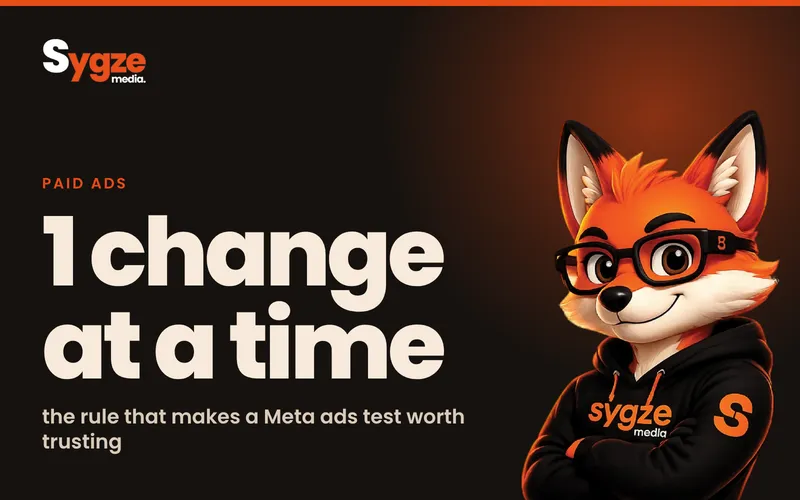
A Meta ads testing framework is a short set of rules for changing one thing at a time, giving each test enough budget and days to finish, and judging it on a metric you chose before it started. For most small businesses that means fixing tracking first, then testing the offer, then the creative, then the audience and landing page, and scaling winners gradually.
What a Meta ads testing framework is (and why you need one)
A testing framework decides what you test, in what order, how much you spend on each test, how long it runs and what counts as a win. Without one, you can't tell whether results improved because of the new creative, the new audience, a holiday weekend or pure chance.
Meta's delivery system also needs stable conditions to learn. When an ad set launches or has a significant edit, it enters the learning phase. Meta's own advertiser guidance says learning stabilises with a minimum of 50 optimisation events over a 7-day period, and that changes to an ad set can trigger a new learning period. Every big edit resets that clock, so a messy testing habit keeps your campaigns permanently in learning.
Step 1: Fix tracking before you test anything
A test is only as good as the numbers behind it. Before changing a single ad, check that Meta is receiving the right conversion events from your website.
- Install the Meta Pixel on every page and confirm it fires in Events Manager.
- Set up the Conversions API so events are also sent from your server, website platform or CRM. Shopify, WooCommerce and most CRMs have built-in integrations. Meta says server events are processed like Pixel events, so they count towards measurement and optimisation.
- Check that events are received, deduplicated and matched correctly, so one sale is not counted twice when both the Pixel and the server send it.
- Choose one primary conversion to optimise for: a purchase, a booked call or a lead form submission. Don't optimise for clicks if you are paid by sales.
- Send purchase values where you can, so you can compare return on ad spend, not just cost per result.
If you can't trust the conversion count, every test result is a guess. Fixing tracking often improves reported results on its own, simply because sales that were already happening start being counted.
Step 2: Test in the right order
Not every variable matters equally. For most small budgets, the order below finds the biggest wins first.
1. The offer
The offer is what you're asking people to do and what they get: a free consultation, a first-order discount, a bundle, a free audit. A clearly better offer can change results far more than a new image. Test offers first if you have more than one realistic option.
2. The creative
Creative is the biggest lever inside the ad itself, and Meta's guidance recommends testing as many creative concepts as you can. Test meaningfully different concepts, not small tweaks: a founder talking to camera versus a product demo, a customer story versus a problem-solution ad, a static image versus a short video. Keep the hook, the first second or first line, as the main difference.
3. The audience
With Advantage+ audience and broad targeting, Meta does much of the audience work for you, so audience tests matter less than they used to. They still help when you sell to a specific group. Compare broad targeting against one well-defined interest or lookalike group, not ten narrow audiences with tiny budgets. Meta notes that a narrow audience can raise acquisition costs.
4. The landing page
If people click but don't convert, the problem is often the page, not the ad. Test the page after you have a creative that earns clicks at a reasonable cost.
Step 3: Give each test enough budget and time
The most common testing mistake is ending a test too early. A test that spends a few dollars a day for two days usually tells you nothing.
- Run each test for at least seven days, so weekdays and weekends are both included and the ad set has a full learning window.
- Budget from your cost per result. To reach 50 events in 7 days, your daily budget needs to be roughly seven times your expected cost per result. Meta's own example: with a $10 average cost per result, set at least an $80 daily budget.
- Change one variable per test. If the creative and the audience both change, you won't know which one made the difference.
- Avoid editing live tests. Budget changes, new ads and audience edits can restart learning and muddy the result.
Meta's built-in A/B test tool splits your audience so the groups don't overlap, which gives a cleaner comparison than running two ad sets side by side. Meta's documentation also notes that larger reach, longer schedules or higher budgets tend to produce more statistically reliable results. Use the tool for important decisions, such as choosing between two offers.
Step 4: Decide what counts as a winner
Agree on the success metric before the test starts, and stick to it. For e-commerce that is usually cost per purchase or return on ad spend. For service businesses it is cost per qualified lead, which means checking lead quality in your CRM, not just the number of form fills.
Look for clear gaps, not tiny ones. As an example, if version A costs $42 per lead and version B costs $40, that's noise. If B costs $25, you probably have a winner. When results are close, keep the simpler or cheaper option and move on to the next test.
Keep a simple testing log: date, what changed, budget, results, decision. Over a few months it becomes one of your most valuable marketing documents, because it shows what your customers actually respond to.
Step 5: Scale without resetting learning
Once something works, the instinct is to triple the budget overnight. That can push the ad set back into learning and costs often rise. Scale in steps instead.
- Raise budgets in modest steps every few days, and watch cost per result after each change.
- Scale horizontally: put the winning creative into new ad sets or campaigns for other audiences instead of only raising one budget.
- Refresh creative before it tires. Meta warns that creative fatigue can lead to rising costs when audiences have seen the same ads too often. When frequency climbs and click-through rate falls, introduce a new concept built on the same winning angle.
- Keep a small testing budget running at all times, so you always have the next winner ready.
How to measure your tests
Judge each Meta ad test on one primary metric, such as cost per purchase, cost per qualified lead or return on ad spend, and use click-through rate, cost per click and landing page conversion to explain the result. Watch frequency and learning status, and compare Meta's numbers weekly with your shop, booking system or a CRM such as HubSpot or GoHighLevel.
- Primary metric: cost per purchase, cost per qualified lead or return on ad spend. This decides the winner.
- Supporting metrics: click-through rate, cost per click and landing page conversion rate. These explain why a version won or lost.
- Health metrics: frequency and learning status. These tell you when a winner is wearing out or a test is underfunded.
- Back-end check: compare Meta's reported conversions with your shop, booking system or CRM each week. A gap is normal, but a growing gap points to a tracking problem.
Use the same attribution setting for every test. Meta's default is 1-day view and 28-day click, and changing it between tests makes results impossible to compare.
Examples by business type
Online shop
Start with a test of free shipping versus a percentage discount on the same product ad. Then test a product demo video against a customer unboxing or review-style video. Judge on cost per purchase and return on ad spend, not add-to-carts.
Local service business
A plumber, clinic or salon might test a free quote against a fixed-price first visit. Then test a before-and-after photo against a short video of the owner explaining the service. Judge on cost per booked appointment, checked against your calendar.
B2B or professional services
A consultancy or software firm might test a free audit against a downloadable guide. Lead forms are cheap but often low quality here, so judge on cost per qualified lead from your CRM, and wait for sales feedback before you call a winner.
Your step-by-step testing checklist
- Pixel and Conversions API firing, with no duplicate events.
- One primary conversion chosen and written down.
- One question for this test, with only one variable changed.
- Daily budget of roughly seven times your expected cost per result, or a higher-funnel event if not.
- Test set to run for at least seven days, with no edits while it runs.
- Success metric and minimum gap agreed before launch.
- Result and decision recorded in your testing log.
- Winner scaled gradually and the next test queued.
A simple 30-day testing plan
- Week 1: check Pixel and Conversions API events, choose one primary conversion and set up a testing log.
- Week 2: test two offers with the same creative style, using Meta's A/B test tool.
- Week 3: test three different creative concepts with the winning offer.
- Week 4: scale the winner gradually and start the next creative test with a small budget.
By the end of the month you'll know which offer and which creative angle work best for your business, and you'll have a process you can repeat every month.
How this works for small budgets
If you spend a few hundred dollars a month, you can still test, you just test fewer things. Pick the single most important question, usually the offer or the main creative angle, run one clean test per month and let it finish. Fewer, cleaner tests beat many rushed ones. As budgets grow, you can run more tests in parallel.
Common mistakes to avoid
- Judging ads in the first 48 hours, before delivery has settled.
- Testing small details, such as button colour or one word in the headline, before big ideas.
- Optimising for link clicks or engagement when you need sales or leads.
- Running too many ad sets with budgets too small to exit learning.
- Batching several edits at once, which saves one learning reset but hides which change mattered.
- Ignoring lead quality: cheap leads that never buy are not a win.
Tools you need
- Meta Ads Manager and its A/B test tool for running and reading tests.
- Meta Events Manager for checking Pixel and Conversions API events.
- Your shop platform, booking system or a CRM such as HubSpot for checking real sales and lead quality.
- A shared spreadsheet for your testing log.
- A design tool such as Canva for producing new creative concepts quickly.
Frequently asked questions
How long should a Meta ads test run?
Run each test for at least seven days. That covers weekdays and weekends and matches the 7-day window Meta uses for the learning phase. If neither version has many results after a week, extend it rather than calling it early.
How much budget do I need to test Meta ads?
Work from your cost per result. Meta's guidance is to aim for about 50 optimisation events in 7 days, so your daily budget should be roughly seven times your expected cost per result. If that's out of reach, test on a cheaper, higher-funnel event first.
Should I use Meta's A/B test tool or just run two ad sets?
Use the A/B test tool for decisions that matter, such as choosing between two offers. It splits your audience so the same people don't see both versions. Running two ad sets side by side is fine for rough creative checks, but the audiences can overlap and muddy the result.
Does changing the budget reset the learning phase?
Significant edits can send an ad set back into learning, and large budget jumps are a common cause. Raise budgets in modest steps every few days, or scale by adding the winner to new ad sets, so you keep what the system has already learned.
What should I test first on Meta ads?
Fix tracking first, then test the offer, because it usually has the biggest effect. After that, test clearly different creative concepts, then audiences and landing pages. Leave small details like button colours until the big questions are answered.
If you'd like a second pair of eyes on your account, message Sygze Media on WhatsApp for a free 10-minute audit of your Meta ads tracking and testing setup.
Sources
- Meta for Developers: Conversions API
- Meta for Developers: Ad set learning stage info reference
- Meta for Developers: Split testing guide
- Meta for Developers: Advantage+ campaign experience
- Meta Developers: Understanding and optimizing your ad campaign
- Meta Developers: Launching your first ad campaign
- Meta Business Help Center: About the learning phase
Meta and Google Ads management