To set up a Google Business Profile, sign in to a Google account, go to business.google.com/create, enter your business name and category, add your address or service area, phone number and website, then verify the business. It is free, and your profile only appears on Google Search and Maps once verification is complete.
Entering your details is quick if you have them ready. Verification can take a few minutes or up to a few weeks, depending on the method Google offers you. This guide walks through every step in order, then covers the settings that decide whether customers actually choose you once they find you.
What is a Google Business Profile and is it free?
A Google Business Profile is the free listing that shows your business on Google Search and Google Maps, with your hours, phone number, photos, reviews and directions. Google states that creating a profile and listing your business is free. You only pay if you choose to run ads, which are a separate product.
The profile matters because it is often the first thing a local customer sees. In BrightLocal's 2026 Local Consumer Review Survey, 97% of consumers said they read reviews for local businesses and 71% said they use Google to read them. Your profile is where most of those reviews live.
Plenty of businesses already have one but let it go stale. BrightLocal's 2026 small business research found 85% of small businesses have a Google Business Profile, but only 35% actively maintain it. Setting it up properly and keeping it current is an easy way to stand out.
Who can create a Google Business Profile?
Any business that meets customers in person during its stated hours can create a profile. That includes shops and offices customers visit, and service-area businesses such as plumbers, cleaners and mobile groomers that travel to customers. Online-only businesses, virtual offices and P.O. boxes are not eligible under Google's guidelines.
A few rules from Google's guidelines are worth knowing before you start:
- Use a real, precise address. P.O. boxes and mailboxes at remote locations are not accepted, and virtual offices are not eligible.
- Co-working spaces only qualify if you have clear signage, staff present and in-person service during your business hours.
- If you work from home and customers do not visit, set yourself up as a service-area business and hide your address.
- Create only one profile per business in each metro area. Google says it may suspend accounts that create duplicates.
How to set up a Google Business Profile step by step
The setup follows the same nine steps for most US businesses: sign in, enter your name, pick a category, add a location or service area, add contact details, then choose a verification method. Have your exact business name, address, phone number, website and hours ready before you begin.
- Sign in to a Google account. If you create a new one, Google suggests using an email address on your business domain rather than a personal Gmail address.
- Go to business.google.com/create.
- Enter your business name or pick it from the suggestions. If the business already appears and someone else has verified it, you will be asked to request ownership instead.
- Search for and choose your primary business category, then click Next.
- Say whether you have a storefront that customers can visit and that is staffed during business hours. If yes, enter the address or place the map marker. If no, choose No.
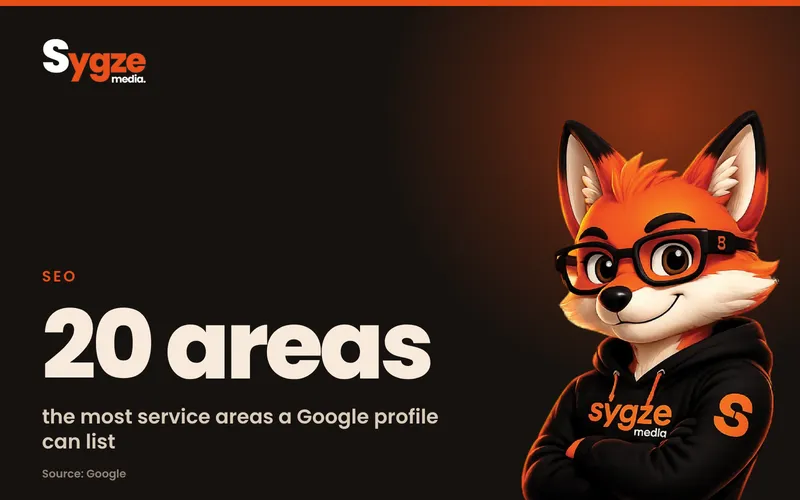
- Add your service area if you travel to customers. You can add up to 20 areas, and Google recommends staying within about two hours of driving time from your base.
- Enter a phone number and website URL, then click Next. Use a local number your business controls, not a call center line.
- Click Finish.
- Choose a verification option now, or select Verify later and come back to it.
How do I choose the right Google Business Profile category?
Pick the most specific primary category that completes the sentence "This business is a...". Choose "Family law attorney" over "Lawyer" or "Italian restaurant" over "Restaurant". Google's guidelines say to use the fewest categories needed to describe your core business, so add secondary categories only for genuinely different parts of the business.
Categories describe what you are, not everything you sell. Products, services and features such as Wi-Fi or free estimates go in the services, products and attributes sections instead.
What business name should I use on Google?
Use your real-world business name exactly as it appears on your sign, website and paperwork. Google does not allow you to add keywords, locations, taglines, phone numbers or website addresses to the name. "Rivera Plumbing" is fine, while "Rivera Plumbing, Best Emergency Plumber Austin TX" breaks the rules.
Keyword-stuffed names can lead to edits from Google or a suspended profile, which takes far longer to fix than it took to set up.
How to verify your Google Business Profile
Google chooses which verification methods you can use, and you cannot change them. The options are a phone call or text, email, a live video call, a recorded video or a postcard mailed to your address. After you complete the steps, Google reviews your details, which can take up to 5 business days.
- Phone or text: Google sends a code to your business number. The line must be able to receive calls or texts directly, since automated phone menus cannot accept the code.
- Email: Google sends instructions to an address you can open on the verification screen.
- Live video call: a Google representative guides you through a call during your business hours. You need to be at the business and able to show your location, such as a street sign or exterior signage, your equipment or branded materials, and proof you manage the business, such as keys or an employee-only area.
- Recorded video: if your business is eligible, you record a short continuous video showing similar proof and upload it.
- Postcard: Google mails a 5-digit code to your address. Most arrive within 14 days and codes expire after 30 days.
Why is my Google Business Profile verification taking so long?
The most common causes are a postcard still in the mail, a review that is taking longer than 5 business days, or details that changed during the process. If you are waiting on a postcard, do not edit your business name, address or category and do not request a new code. Either action can invalidate the first code and restart the wait.
If you have a website verified in Google Search Console with the same details, some profiles are verified instantly, so it is worth checking that first.
How to optimize your Google Business Profile after setup
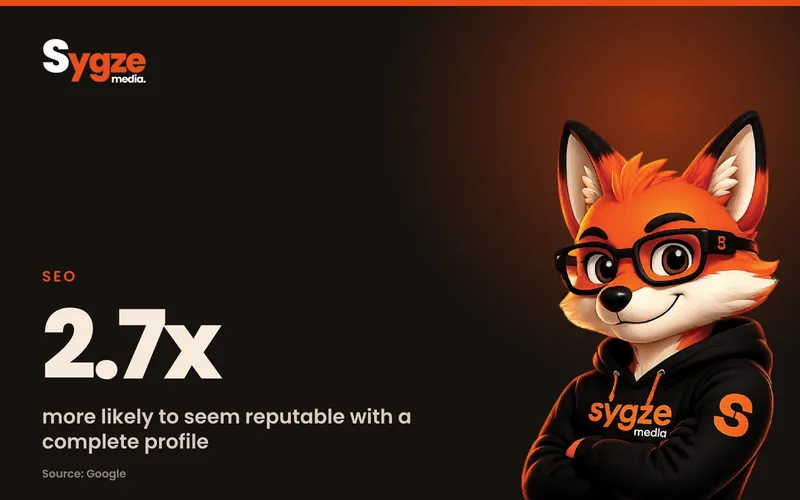
Once you are verified, fill in every section. Google says customers are 2.7 times more likely to consider a business reputable when they find a complete Business Profile, 70% more likely to visit and 50% more likely to consider buying. Completeness also feeds relevance, one of the three factors Google uses to rank local results.
Work through this checklist in your first week:
- Hours: add your regular customer-facing hours and set holiday hours ahead of each US holiday, such as Thanksgiving and July 4.
- Description: write a plain description of what you do, who you serve and where. Keep it about your business, without links or promotions.
- Services and products: list each service with a short description and, where it helps, a starting price.
- Attributes: tick the ones that apply, such as wheelchair-accessible entrance, women-owned or online appointments.
- Opening date: add the date you first opened.
- Photos: upload your logo, a cover photo and real photos of your work, team, premises or vehicles. Google accepts JPG or PNG files from 10 KB to 5 MB, ideally 720 by 720 pixels.
- Videos: add short clips of up to 30 seconds, 720p or higher.
- Booking or quote link: if you use an online booking tool, add the link so customers can act straight from the profile.
How does Google rank Business Profiles in Maps?
Google says local results are based mainly on relevance, distance and prominence. Relevance is how well your profile matches the search. Distance is how far you are from the searcher. Prominence is how well known you are, including reviews, ratings and links from other websites. There is no way to request or pay for a better local ranking.
You cannot change where customers are searching from, so put your effort into relevance, through a complete and accurate profile, and prominence, through reviews and a strong website.
How to get Google reviews on your new profile
Ask every happy customer, and make it easy with your profile's review link, which you can copy and share by text, email or on receipts. Google's policies forbid offering discounts, gifts or other incentives for reviews, and also rule out in-store review stations. Reply to every review, positive or negative, within a few days.
Recency matters to customers as much as the star rating. BrightLocal's research also shows 47% of small businesses have fewer than 20 Google reviews, so a steady habit of asking can move you ahead of many local competitors within a few months.
When replying, thank the customer by name, mention the specific job where it is natural, and keep negative replies calm and factual. Never share private customer details in a public reply.
Common Google Business Profile setup mistakes to avoid
Most profile problems come from a handful of avoidable errors. Check your setup against this list before you call it finished.
- Adding keywords or city names to your business name.
- Listing a home address publicly when customers never visit it.
- Creating a second profile for the same business instead of claiming the existing one.
- Using a call-tracking or call-center number that does not reach your location.
- Editing your name, address or category while a verification code is in the post.
- Letting hours go out of date, especially around holidays.
- Leaving the profile untouched for months after setup.
Your business name, address and phone number should also match exactly on your website, Bing Places, Apple Business Connect, Yelp and other directories. Small differences, such as "St." on one and "Street" on another, are fine, but different phone numbers or old addresses confuse both customers and search engines.
Frequently asked questions
How much does a Google Business Profile cost?
Nothing. Google states that creating a Business Profile and listing your business on Google is free. Google Ads and Local Services Ads are separate, paid products, and buying them does not improve your organic Maps ranking.
How long does it take to set up a Google Business Profile?
Entering your details is quick if you have your name, address, phone, website and hours ready. Verification is the slow part. Phone, email and video methods can be quick, Google's review can take up to 5 business days, and a postcard usually arrives within 14 days.
Can I set up a Google Business Profile without an address?
Yes, if you are a service-area business that visits customers. You still enter an address for verification, but you choose not to show it, and your profile displays your service area instead. Businesses with no in-person contact with customers at all are not eligible.
Can I have a Google Business Profile for a home-based business?
Yes. If customers come to your home, you can show the address. If you go to them, set up as a service-area business and hide it. Either way, you need to serve customers in person during your listed hours.
What should I do if my business already has a profile?
Search for it at business.google.com/create. If it is unclaimed, you can verify it. If someone else verified it, such as a former employee or a previous owner, request ownership through the same flow, and Google will contact the current owner.
Not sure how your profile and website compare? Take the free 2-minute digital marketing audit at https://sygze.com/scorecard, message Sygze on WhatsApp for a free 10-minute audit, or get the free weekly newsletter for one practical tip each week.
Sources
- Google Business Profile Help: Sign up for Business Profile
- Google Business Profile Help: Verify your business on Google
- Google Business Profile Help: Complete your Business Profile
- Google Business Profile Help: Guidelines for representing your business on Google
- Google Business Profile Help: How to improve your local ranking on Google
- Google Business Profile Help: Manage photos and videos
- Google: Business Profile FAQ
- BrightLocal: Local SEO statistics