To rank in ChatGPT search and Google's AI answers, you need a page that the AI tools are allowed to crawl, that is already indexed by Google and Bing, and that answers a specific question more clearly than anyone else. There is no paid placement and no special code. The businesses that get cited are the ones with plain, specific, trustworthy pages.
This guide explains how ChatGPT, Google AI Overviews and AI Mode pick the websites they mention, what generative engine optimization actually involves, and a step-by-step checklist a small business can work through without hiring anyone.
Why does AI search matter for a small business?
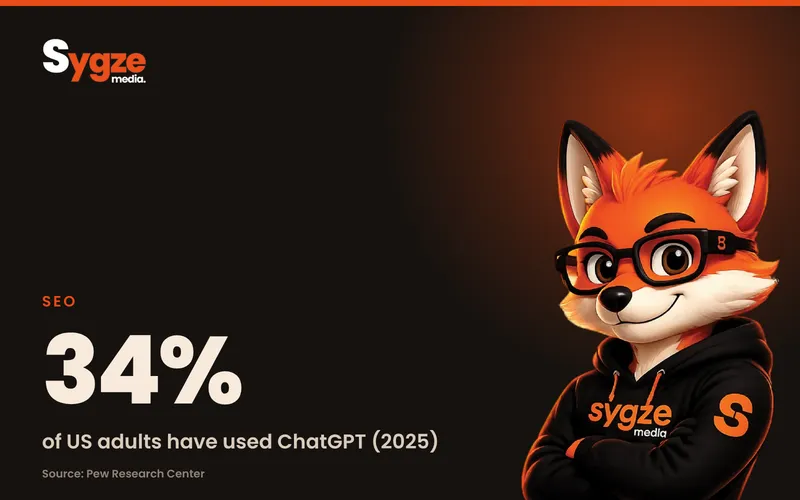
AI search matters because more of your customers now get an answer before they ever see a list of links. Pew Research Center found that 34% of US adults had used ChatGPT by early 2025, and that about one in five Google searches in March 2025 produced an AI summary. If you are not part of that answer, you are easier to skip.
The same Pew study tracked the browsing of 900 US adults. When an AI summary appeared, people clicked a regular search result in 8% of visits, compared with 15% when there was no summary. They clicked a link inside the summary itself in just 1% of visits. In other words, the summary often replaces the click, so being one of the few sources it names is worth more than ranking fifth below it.
That doesn't mean traditional SEO is dead. Both ChatGPT and Google build their answers from pages they can find through search. Good SEO is still the entry ticket; AI search changes what a winning page looks like.
How does ChatGPT search choose which websites to show?
ChatGPT search looks up live web pages when a question needs current or specific information, then writes an answer with links to the pages it used. OpenAI says any public website can appear in ChatGPT search, as long as it doesn't block OpenAI's search crawler, called OAI-SearchBot. OpenAI does not sell placement or publish a list of ranking factors.
OpenAI runs separate crawlers for separate jobs, and mixing them up is a common mistake:
- OAI-SearchBot finds and indexes pages so they can be shown and linked in ChatGPT search answers. Block it and your pages can't be summarized or cited there.
- GPTBot collects content that may be used to train OpenAI's models. Blocking it is how you opt out of training, and OpenAI treats it as a separate setting from search.
- ChatGPT-User visits a page when a person in ChatGPT asks it to, for example by pasting your link. It isn't used to decide what appears in search.
So you can opt out of AI training and still be eligible for ChatGPT search. If a web developer or security plugin added a blanket rule blocking AI bots, check that it hasn't blocked OAI-SearchBot as well.
How do Google AI Overviews and AI Mode pick their sources?
Google says there are no extra requirements or special optimizations needed to appear in AI Overviews or AI Mode. A page only has to be indexed and eligible to show in Google Search with a snippet. Google adds that you don't need new AI text files, special markup or special schema to be included.
Google also explains that both features may use a technique it calls query fan-out: running several related searches across subtopics to build one answer. That is good news for focused small-business pages. A question like "best way to fix a leaking shower in an old house" can pull in a page that answers just one part of it, such as when to call a plumber, if that page answers it clearly.
Traffic from these features is counted inside the normal Web search type of the Search Console Performance report. Google doesn't report it separately, so you won't see an "AI Overviews" line in your data.
What is generative engine optimization (GEO)?
Generative engine optimization, or GEO, means making your pages easy for AI tools to find, understand, trust and quote. It is not a separate discipline with secret rules. In practice it is solid SEO with more weight on direct answers, specific facts, clear structure and consistent information about your business across the web.
You'll also hear it called AI search optimization, answer engine optimization or LLM optimization. The names differ, but the work is the same: be the clearest, most credible answer to the questions your customers ask, on pages search engines can crawl.
How to rank in ChatGPT search: a step-by-step checklist
Work through these steps in order. The first three are technical and take an afternoon. The rest is ongoing content work that keeps paying off in Google, Bing and AI tools at the same time.
1. Make sure AI search crawlers can reach your site
Open yourdomain.com/robots.txt in a browser and look for any Disallow rules aimed at OAI-SearchBot, Googlebot, Bingbot or all user agents. Also check your hosting, firewall or CDN bot settings, since Google notes that crawling must be allowed there too, not only in robots.txt.
- Allow OAI-SearchBot if you want to appear in ChatGPT search.
- Allow Googlebot and Bingbot. Blocking Google-Extended or GPTBot affects AI training and some grounding, not normal search results.
- Don't put important pages behind logins, pop-ups or scripts that hide the text until someone clicks.
2. Get indexed in both Google and Bing
Verify your site in Google Search Console and Bing Webmaster Tools, both free, and submit your XML sitemap to each. Use URL Inspection in Search Console to confirm that your key pages are indexed. Many small sites only ever set up Google, but Microsoft's Copilot searches the web with Bing, so a missing Bing setup is an easy gap to close.
3. Fix the basics that stop pages being shown
A page with a noindex tag, a nosnippet tag or a very low max-snippet setting can be left out of AI answers, because those tools quote snippets. Check your SEO plugin settings for stray noindex tags, make sure each page loads fast on a phone, and link to important pages from your menu or other pages so crawlers can find them.
4. Answer one real question per page, at the top
AI tools pull the clearest answer they can find. Start every page or section with a 40 to 60 word direct answer, then give the detail. Use headings phrased the way people actually ask, such as "How much does a roof replacement cost in Dallas?" rather than "Our Pricing Philosophy".
- Collect the questions you hear on calls, in emails and in reviews.
- Give each important question its own page or its own clearly headed section.
- Put the answer in the first paragraph, in plain words, before any background.
5. Be specific: prices, places, numbers and limits
Vague copy gives an AI nothing to quote. "Affordable, high-quality service" won't be cited; "Most drain cleaning jobs in Phoenix cost $150 to $300 and take under two hours" might be, as long as it is true. Add your real price ranges, service areas, hours, turnaround times, guarantees and who you are not a good fit for.
6. Show who is behind the business
Google's guidance on helpful, people-first content asks whether it is clear who created a page and why they can be trusted. Add an About page with your experience and licenses, put real photos of your work on service pages, and cite trustworthy sources when you quote numbers. This helps both human visitors and the systems deciding which page to trust.
7. Keep your business details consistent everywhere
AI answers about local businesses often draw on business listings and review sites, not only your website. Make sure your name, phone number, address or service area, hours and services match on your website, Google Business Profile, Bing Places, Apple Business Connect, Yelp and industry directories. Google specifically recommends keeping Business Profile and Merchant Center information up to date.
8. Earn mentions on other trusted sites
AI tools tend to recommend businesses that other sources talk about. Reviews, local news coverage, chamber of commerce listings, supplier pages, podcast interviews and "best of" roundups all add to the picture. Ask happy customers for reviews that mention the specific service and town, and look for one or two credible places a month that could feature you.
9. Update pages that answer time-sensitive questions
Prices, rules and product details change. Put a visible "last updated" date on guides and pricing pages, and review them at least twice a year. Fresh, accurate pages are more useful to anyone pulling live information, and stale prices are a fast way to lose a customer's trust.
Do I need llms.txt or special schema to show up in AI search?
No. Google says plainly that you don't need AI text files or special markup to appear in its AI features, and OpenAI's guidance centers on letting OAI-SearchBot crawl your site. Normal structured data, such as LocalBusiness or FAQ markup, is still useful, but only when it matches the text people see on the page.
Be wary of anyone selling a guaranteed spot in ChatGPT or Google AI Overviews. Neither company sells a place in its organic AI answers, and Google says inclusion isn't guaranteed even for pages that meet every requirement.
How do I track traffic from ChatGPT and AI search?
OpenAI says ChatGPT adds utm_source=chatgpt.com to links it sends from search results, so those visits show up in Google Analytics as their own source. Google's AI Overviews and AI Mode traffic is folded into normal Google organic traffic in Search Console, so watch the pages and queries that grow instead.
- In Google Analytics 4, open Reports, then Acquisition, then Traffic acquisition, and look for chatgpt.com and other AI tools as sessions sources.
- Ask new leads how they found you and add "ChatGPT or another AI tool" as an option on your contact form.
- Every month, ask ChatGPT, Google and Copilot the five questions your best customers ask, and note which businesses get named.
Frequently asked questions
Can I pay to rank in ChatGPT search?
No. There's no way to buy a place in ChatGPT's organic search answers or in the sources Google's AI Overviews cite; any ads shown are labeled separately. What you can control is whether your site can be crawled and how clearly your pages answer real questions.
How long does it take to show up in ChatGPT or AI Overviews?
There's no fixed timeline. If your site is already indexed and allows the right crawlers, a clear new page can be picked up within weeks. Google notes that recrawling can take anywhere from several days to several months, so changes to older pages may take longer to show.
Is generative engine optimization different from SEO?
Mostly no. GEO uses the same foundations as SEO: crawlable pages, good content, trust signals and links from other sites. The difference is emphasis, with more weight on direct answers, specific facts and consistent business information that an AI can quote with confidence.
Should I block AI bots from my website?
Only block what you mean to. Blocking GPTBot or Google-Extended limits AI training, while blocking OAI-SearchBot, Googlebot or Bingbot can remove you from search and AI answers. Most small businesses that want customers should keep the search crawlers allowed.
Do Google reviews help me appear in AI answers?
They can help, especially for local questions. AI tools often draw on business listings and review sites when they recommend a local business, and Google lists keeping your Business Profile up to date among its best practices. Reviews that name the service and town give those tools more to work with.
Want to know whether AI search can find your business? Take the free 2-minute digital marketing audit at sygze.com/scorecard, message us on WhatsApp for a free 10-minute audit of your website, or sign up for the free weekly newsletter for one practical tip each week.
Sources
- OpenAI Help Center: Publishers and developers FAQ
- OpenAI: Overview of OpenAI crawlers
- Google Search Central: AI features and your website
- Google Search Central: Creating helpful, reliable, people-first content
- Pew Research Center: Google users are less likely to click on links when an AI summary appears (2025)
- Pew Research Center: 34% of US adults have used ChatGPT (2025)