If your Facebook ads are getting clicks but no sales or leads, the problem is usually one of four things: tracking that does not record conversions, a campaign optimized for the wrong goal, a budget too small for Meta to learn, or a landing page that loses people after the click. Check them in that order, because each one hides the next.
This guide walks you through how to find which one is hurting you, with nine fixes you can make yourself in Meta Ads Manager this week.
Why are my Facebook ads not converting?
Most Facebook ads that fail to convert are not failing because of the platform. They fail because Meta cannot see conversions, is chasing clicks instead of buyers, never finishes learning, or sends people to a page that does not match the ad. Ad copy and images matter, but they are rarely the first problem.
The audience is there. Pew Research Center's 2025 survey found that 71% of US adults use Facebook, so for most local and online businesses your customers are on the platform. The question is whether your setup lets Meta find the right ones and whether your page turns their visit into a sale.
Before you change anything, write down three numbers for the last 14 to 30 days: cost per click, click-through rate and the number of conversions Ads Manager reports. Compare that conversion count with what actually happened in your store, booking tool or inbox. That one comparison tells you where to start.
- Clicks are cheap but Ads Manager shows zero conversions while you did get sales: start with tracking (fix 1).
- Ads Manager shows conversions but they are low quality or not real sales: check your campaign goal (fix 2).
- Your ad set says "Learning limited": fix budget and structure (fixes 3 and 4).
- Plenty of clicks, very few conversions anywhere: look at the landing page and offer (fixes 6 to 8).
How to check if Facebook conversion tracking is working
Open Events Manager, select your dataset (your pixel) and look at the events received over the last week. If your key event, such as Purchase or Lead, is missing, firing twice or showing far fewer events than real orders, Meta is optimizing blind. Fix tracking before you touch targeting or creative.
Fix 1: Set up the Meta pixel and the Conversions API together
The Meta pixel records actions in the visitor's browser. Browser privacy settings and ad blockers mean some of those actions never reach Meta. The Conversions API sends the same events from your server, website platform or CRM instead. Meta describes it as a direct connection between your marketing data and its systems that helps optimize targeting and decrease cost per result.
You do not always need a developer. Shopify, WooCommerce and many booking and CRM tools have built-in Conversions API integrations you can switch on in a few clicks. Once both are running, use the Test Events tool in Events Manager to place a test order or submit a test form and confirm the event arrives once, not twice.
- Pick one primary conversion event: Purchase for online stores, Lead or Schedule for service businesses.
- Send the purchase value and currency (USD) with every Purchase event.
- Make sure browser and server events share an event ID so Meta can remove duplicates.
- Check that the thank-you or confirmation page fires the event, not the form page itself.
Which campaign objective should I use for sales or leads?
Choose the objective that matches the action you want: Sales for purchases, Leads for form fills, calls or bookings. Meta's delivery system shows your ad to the people most likely to take the action you optimize for. Pick Traffic and you will get clickers, who are often not buyers.
Fix 2: Optimize for the conversion, not the click
This is one of the most common reasons Facebook ads get clicks but no sales. A Traffic or Engagement campaign can produce cheap clicks and likes and still return zero orders, because it is doing exactly what you asked. Rebuild the campaign under Sales or Leads, with your primary event selected as the conversion goal.
If you run lead ads with an instant form, watch quality. A form with only prefilled fields is easy to submit and can bring in people who do not remember filling it out. Adding one or two qualifying questions, or choosing the higher intent form type, usually means fewer leads but more real customers.
What does Learning limited mean on Facebook ads?
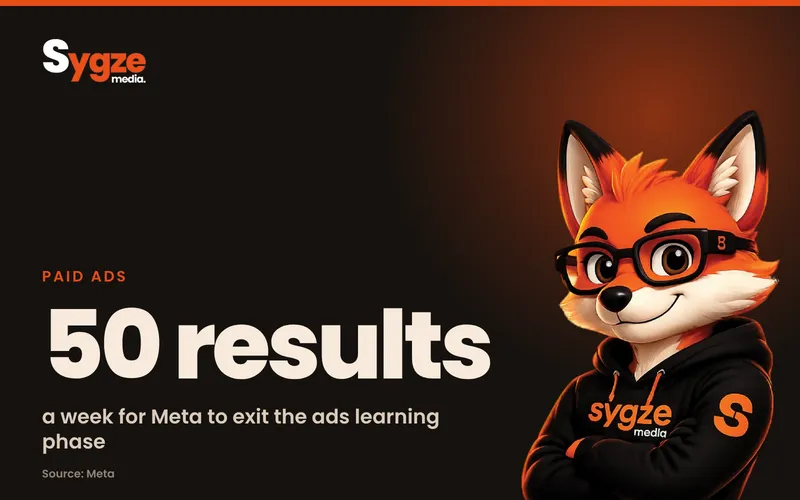
Learning limited means your ad set is not getting enough results to finish the learning phase. Meta says ad sets usually exit learning after about 50 results in the week after their last significant edit. Until then, delivery is less stable and cost per result is usually higher, so results look worse than they will be.
Fix 3: Give each ad set a budget that can reach about 50 results a week
Do the math before you launch. If a lead costs you around $30, an ad set needs roughly $1,500 a week to reach 50 leads. If that is far beyond your budget, you have two honest options: spend more on fewer ad sets, or optimize for an event that happens more often, such as Add to Cart or Initiate Checkout, while you build volume.
Fix 4: Combine ad sets and stop editing during learning
Splitting a small budget across many ad sets and audiences starves each one of data. Meta's own guidance is to avoid high ad volumes and combine similar ad sets so learnings combine too. It also warns that editing an ad, ad set or campaign during the learning phase resets learning, so make changes in batches, then leave the ad set alone for about a week.
How to tell if your Facebook ad creative is the problem
Use ad relevance diagnostics in Ads Manager. Add the Quality ranking, Engagement rate ranking and Conversion rate ranking columns. Each compares your ad with ads competing for the same audience. A below-average conversion rate ranking with average quality and engagement points to your landing page or offer, not the ad itself.
Meta only shows these rankings once an ad has at least 500 impressions, so do not judge a new ad on its first day. Use the three rankings together:
- Low quality ranking: the ad may look like clickbait or low effort. Rewrite the headline and use a clear, real photo or video of your product or service.
- Low engagement rate ranking: the ad is not stopping the scroll. Lead with the problem you solve in the first line and the first three seconds of video.
- Low conversion rate ranking: people are interested but are not acting after the click. Look at the landing page and the offer.
Fix 5: Refresh creative and match it to buying intent
Ads that sell usually show the product or result, say who it is for, give a price or a clear next step and include proof such as reviews. Test two or three genuinely different ideas at once rather than ten small variations, and replace ads when frequency climbs and results drop.
Why do I get clicks but no sales from Facebook ads?
When click-through rate is healthy but conversions are low, the leak is almost always after the click. The page is slow, does not match the ad, asks for too much, or the offer is not strong enough for a cold visitor who met your business 20 seconds ago.
Fix 6: Make the landing page match the ad and load fast on a phone
Most Facebook traffic is on mobile. Run your landing page through Google's free PageSpeed Insights tool and fix the biggest issues it flags, usually oversized images and heavy scripts. Then check message match: if the ad promises a $49 spring tune-up, the page should open with that exact offer, not your home page.
Fix 7: Cut friction from the form or checkout
Every extra field, required account or surprise fee loses buyers. Ask only for what you need to follow up, offer guest checkout and show shipping costs early. Add your phone number and a click-to-call button for service businesses, since many local customers would rather call than fill in a form.
Fix 8: Strengthen the offer for cold audiences
People who have never heard of you need a reason to act now. A free estimate, a first-visit price, a bundle or a clear guarantee often converts better than a discount on your full price list. Make sure the offer is real and that its terms are clear on the page.
Is my Facebook ad targeting too narrow?
Often, yes. Stacking many interests, ages and locations shrinks the audience until Meta cannot find enough buyers at a fair price. For most small businesses, a broad audience inside your service area, with good conversion tracking, gives the delivery system more room to find people who buy.
Fix 9: Go broader, then retarget warm visitors
Start with your real location limits and a sensible age range, and let the conversion goal do the targeting. Then run a smaller retargeting ad set for people who visited your site, watched your videos or engaged with your Facebook or Instagram page in the last 30 days. Warm visitors usually convert at a much higher rate than cold ones.
Facebook ads troubleshooting checklist
Work through this list in order. Stop at the first item that fails, fix it, and give the campaign about a week before you judge the result.
- Events Manager shows your primary event firing once per real conversion.
- The Conversions API is connected and events are deduplicated.
- The campaign uses the Sales or Leads objective with the right conversion event.
- Each ad set can realistically reach about 50 results a week, or optimizes for a more frequent event.
- Similar ad sets are combined, and no edits were made in the last seven days of learning.
- Ad relevance diagnostics are average or above after 500 impressions.
- The landing page loads fast on a phone and repeats the ad's offer above the fold.
- The form or checkout asks only for what you need.
- The offer gives a cold visitor a clear reason to act now.
- Targeting is broad inside your service area, with a separate retargeting ad set.
If you would rather hand this off, Sygze's Growth Engine package ($1,899 a month, ad spend separate) includes Google and Meta ads management and conversion tracking setup, so the tracking problems above get fixed first.
Frequently asked questions
How long should I wait before deciding a Facebook ad is not working?
Give a new ad set about a week, or until it has close to 50 results, before making big changes. Meta says performance during the learning phase is less stable and usually costs more per result. Judging an ad on its first two days often means turning off something that would have worked.
How much should a small business spend on Facebook ads?
Work backward from your cost per result. Multiply what you expect to pay for one lead or sale by about 50 to estimate a weekly budget that lets one ad set finish learning. If that number is too high, run fewer ad sets or optimize for a more frequent event until you have data.
Why does Ads Manager show fewer conversions than my store?
Browser privacy settings and ad blockers stop the pixel from recording some actions, and attribution windows only count conversions within a set time after a click or view. Connecting the Conversions API usually closes much of the gap. Small differences between the two numbers are normal.
Should I boost posts or use Ads Manager for sales?
For sales and leads, use Ads Manager. Boosting is quick, but it gives you fewer choices over the conversion goal and setup. Ads Manager lets you pick the Sales or Leads objective, choose your conversion event and see the ad relevance diagnostics you need to fix problems.
Do Facebook ads still work for small businesses?
Yes, when tracking, objective, budget and landing page are set up properly. With 71% of US adults on Facebook according to Pew Research Center, the audience is there for most local and online businesses. Ads that fail usually have a fixable setup problem rather than a platform problem.
Not sure which of these is holding your ads back? Take the free 2-minute digital marketing audit at sygze.com/scorecard, message Sygze on WhatsApp for a free 10-minute audit, or get the free weekly newsletter for one practical fix each week.
Sources
- Meta Business Help Center: About the learning phase
- Meta Business Help Center: About ad relevance diagnostics
- Meta Business Help Center: About Conversions API
- Pew Research Center: Americans' Social Media Use 2025
- Google PageSpeed Insights